Showing posts with label MS excel. Show all posts

Wednesday, September 15, 2010

Baby Steps in Microsoft Office Excel 2007


First Baby Step

Taking that first baby step in learning Microsoft Office Excel is tricky and you would have to have a good understanding of what a spreadsheet application does, and if you are still in that learning curve then this might not be the information you need at the moment.

In my previous post, I discussed 7 principles if you are new to Microsoft Office Excel spreadsheet application. Now I begin this series as a request from my friend working in South Africa.
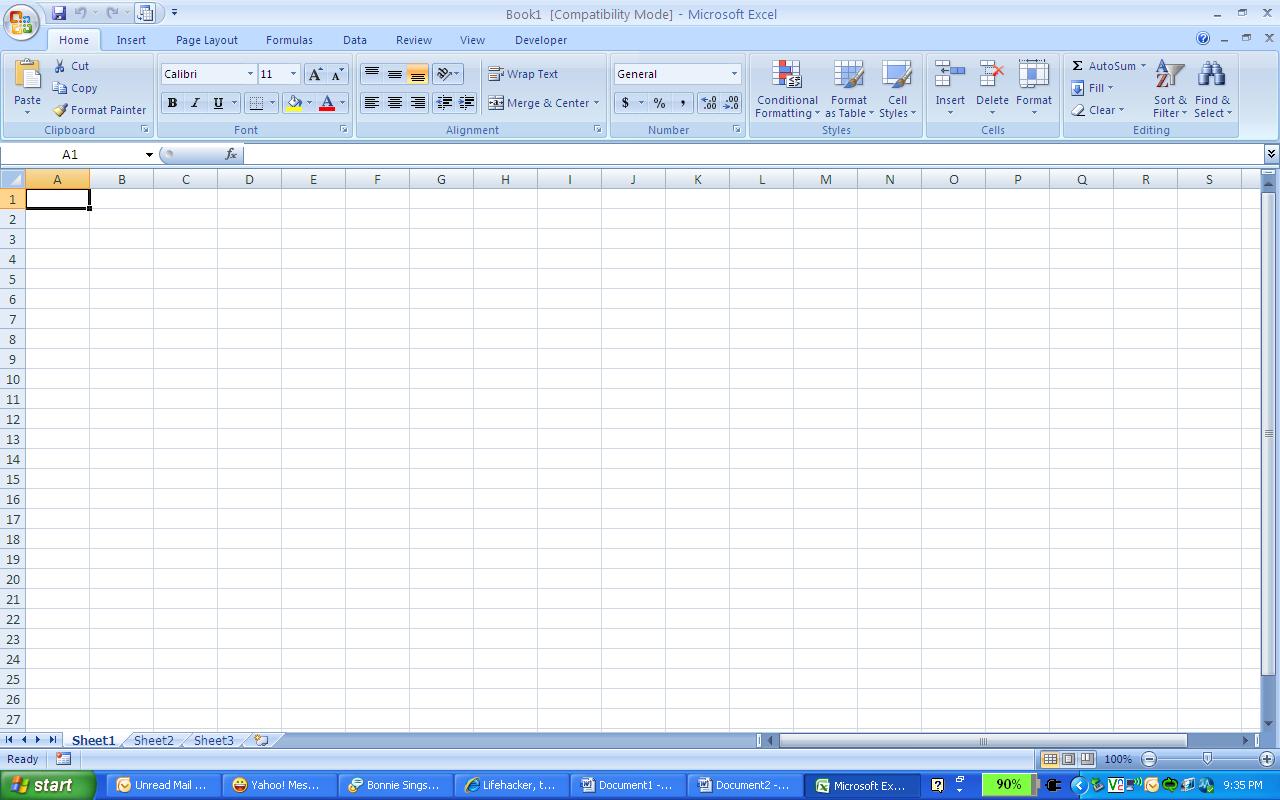
He says he's new to Microsoft Office Excel 2007 and feels like he needs to unlearn his knowledge in Microsoft Excel 2003. It came as a shock to him when he first saw that his office in South Africa uses Microsoft Office Excel 2007. Though he can already use the program, he's looking for the toolbars and navigation experience he had in using Excel 2003. This is how the new Microsoft Office Excel 2007 looks like.
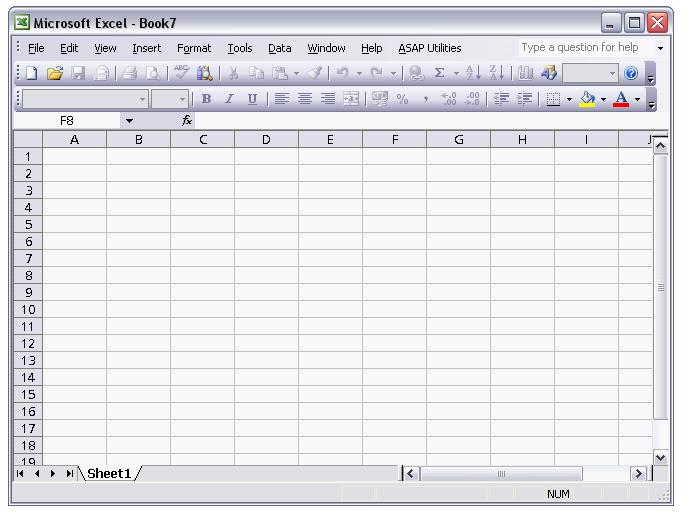


The main difference between the 2003 and the 2007 version is the way the menu and toolbar is presented. In 2007 the menu is integrated with Ribbons which replaces the toolbars in 2003.

The menu is also presented differently, in the 2007 version, the menu is now in tab form as compared to the static menu bar with drop down lists in 2003.

To familiarize yourself with 2007, play around with the menus and constantly use your help menu (as I mentioned in my first post) which is more interactive.

After you get used to the navigation and the whole interface itself. It's time to take your second step.


Second Baby Step


Learn to enter data. Find that first row (Row 1) and column (Column A) and enter anything. There you go. You've entered your first data. Nothing to it right? Yeah, maybe it's too simple for you so let's work this baby up. Using the help feature (F1 remember?) find your way to creating your first column of figures and try to add them all up. From the help menu, search for the function SUM( ) and follow the guidelines there. When you're done congratulate yourself as you have completed your second baby step!

More on this topic next post..

Friday, September 10, 2010

Beginner's Guide to Microsoft Excel Online Training Course

Welcome to the Beginner's Guide to Microsoft Excel Online Training Course!

Are you a beginner in Microsoft Excel? If yes, then you've come to the right place. 

I used to be lousy in Microsoft Excel. I practically hated it, but my job required me to learn it or else I'm toast. I met a friend who was a master at it and he taught me seven (7) basic principles that changed my view and eventually my skill in Microsoft Excel. I'm going to share those same seven principles to you in this Beginner's Guide.

Here goes:


7 BASIC PRINCIPLES  IN MICROSOFT EXCEL FOR BEGINNERS


1ST PRINCIPLE : THE F1 KEY IS YOUR FRIEND -  The F1 Key is that key on the upper left side of your keyboard. In all Microsoft Office applications, it does one thing. It opens up your Help Menu. If you are beginning excel, I suggest you use this often as Microsoft has put together a very extensive how-to guide to help you if you get stuck in a ditch or if you want to learn a new command in excel. We all went through this one way or the other. If you are really new to computers, then this might not be helpful for you yet.


2ND PRINCIPLE : MASTER YOUR TOOL BARS / RIBBONS - Regardless of what MS Excel you're using mastery of how the application is key and most commands in MS Excel are accessible via the tool bars (2003 version or earlier), or Ribbons (2007 onwards) which if used correctly would drastically cut your working time in half.


3RD PRINCIPLE: ALWAYS AUTOMATE YOUR ROUTINE TASKS - Whether its adding a column of figures, calculating averages , finding the maximum or minimum number on the list and a whole lot more, one key principle I learned is that for routine tasks it is always best to automate. You may choose to record macros or add formulas. If unsure of how to input the syntax or execute the functions, go back and do Principle 1.


4TH PRINCIPLE : DARE TO EXPERIMENT - Much of the skills I learned in MS Excel, were born purely out of experimentation. I trained myself to simulate and discover how a formula or command is used.


5TH PRINCIPLE : READ THE FREAKIN' MANUAL - MS Excel has a built in help guide (Press F1) which contains everything you need to know about MS Excel. Read it or better yet master it.


6TH PRINCIPLE : RESEARCH TIPS AND TRICKS ON THE NET - The internet has a treasure trove of tips and tricks, resources, templates, even video tutorials and online tutorials that could make you MS Excel gurus in no time. I still do this till now because I don't really see myself as a guru yet.

7th PRINCIPLE : TEACH OTHERS TO LEARN - One of the best things I learned from my friend is the value of teaching others so they may learn. I realized that I could learn most from teaching others because I'm a kinesthetic learner.(I learn best by doing the action or skill myself first.) Thus when I teach others I redo the actions myself for me to prepare how I'm going to teach others.

There you have it. The 7 basic principles in Microsoft Excel. I hope you would benefit from them as I did. Stay tuned to this blog for our next topic: Baby Steps in learning Microsoft Excel.